

Protecting data
Mask sensitive columns on every read, lock tables against generic operations, and protect tables and columns from structural change.
Policies decide whether a caller may perform an action. Three table-level settings refine what the action can touch, and they hold no matter which policy allowed it:
| Setting | Protects against | Set on |
|---|---|---|
| Redaction | A column's values being returned | A column |
| Lock | An operation (create, read, list, update, delete) over the generic REST routes | A table |
| Protection | The table or a column being dropped, renamed or altered | A table, or columns in it |
invoices, vendors, payments). Your app has only the tables you create, so put your own table and column names in their place. About the example appRedacted columns
Some columns should be usable by your system but never shown to a caller: a token, an API secret,
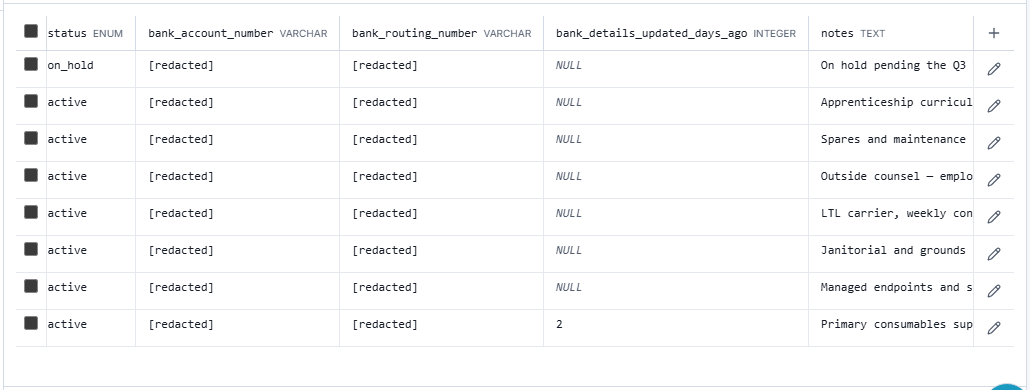
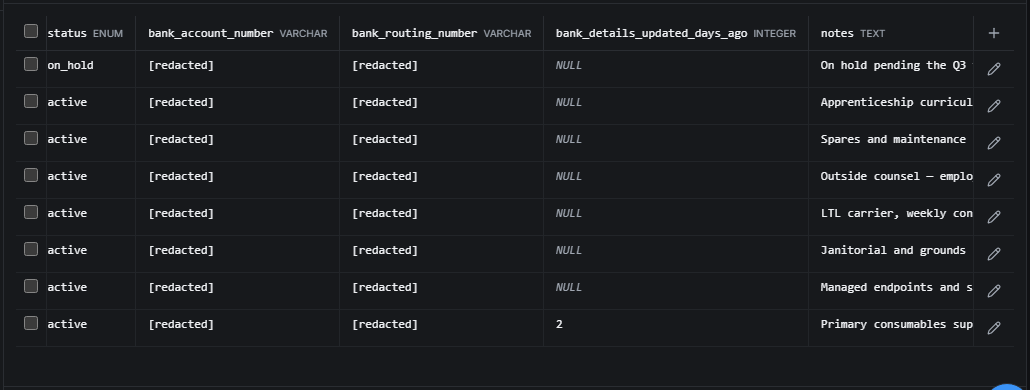
a bank account number. A redacted column's value is replaced with "[redacted]" on the way out.
The row still comes back; only the redacted values are withheld.
{
  "uid": "0199a7e2-41c0-7f6b-93d8-2a5e0c1b7f44",
  "vendor_code": "MER-114",
  "name": "Meridian Surgical Supply",
  "bank_account_number": "[redacted]",
  "bank_routing_number": "[redacted]"
}
Mark a column Sensitive when you create or edit the table. Columns whose names look like
credentials (password, secret, token, api_key, access_key, private_key, credential,
ssn, cvv and similar) are marked for you, so the safe behavior is the default and you opt a
column out, not in. A name like bank_account_number is not caught by that rule: mark it
yourself.
Redaction is enforced at every read door, not by the screen:
- the REST routes, including the response to a create or update;
- the handler SDK's reads (
read,readList,readPage, aggregates and summaries, which skip a redacted column); - agents and MCP tools;
- the console's data explorer and what you export from it.
A redacted column cannot shape an answer either. Filtering or sorting on it (the REST list's
where, order, filter and sort, SDK filters and sorts, updateWhere and deleteWhere) is
refused with 400 COLUMN_REDACTED, so a masked value can never be confirmed by guessing it,
including by text matching. An aggregate refuses one as a group, a measure or a filter
(422 AGG_SPEC_INVALID). Filter and sort on the columns you can read. Selecting one with columns
is allowed, and it comes back masked.
The console masks it too, so a table open on a shared screen shows what the API would return. You can still replace a redacted value without seeing it: clear the field and type the new one.
Redaction is read-side masking, not encryption
It hides values on the way out. It does not stop writes, and the value is stored as written.
Raw SQL from a handler (sdk.sql) runs inside the database and returns real values, which is why
it is a separately approved capability; see Raw SQL. A derived (AI)
column cannot read from a redacted one (AI_SOURCE_REDACTED).
Table locks
A lock closes one or more of the five generic operations on a table's REST routes, whatever the
caller's policies say. A request for a locked operation answers 423 TABLE_LOCKED.
Set locks per operation from the table's settings in the console. Use them for a table that should
only change through your own custom actions or handlers: lock
create, update and delete, and the only way to change a row is the code path you wrote.
Authoric's own sensitive tables in your app (two-factor seeds, linked identities, sessions, policy bindings) are locked this way from the moment the app is provisioned, so none of them is a writable REST surface.
Protected tables and columns
A protected table cannot be dropped or renamed, and a protected column cannot be dropped or altered. A change that would do either is refused rather than merely discouraged. The two levels are independent: a table can be protected while its columns are not, and the other way round.
Authoric's own tables in your app (users, organizations, roles, policies) are protected. That is what stops a caller with schema access from dropping the table that stores its own permissions.
Errors to branch on
| Code | Status | Meaning |
|---|---|---|
TABLE_LOCKED | 423 | The operation is locked on this table. Use the table's custom action or handler. |
COLUMN_REDACTED | 400 | A filter or sort named a redacted column. Use a column you can read. |
AI_SOURCE_REDACTED | 400 | A derived column tried to read a redacted column. |