

Create an agent
Set up an agent in the console, give it a role, and check what it can actually do.
Creating an agent is a handful of decisions: what it is for, what it runs on, what it may do, whose records it may touch, and when it stops for a person. Only the first two are made when you create it. Everything else is set on its page afterward, and a new agent starts with none of it: it can chat and hand work to other agents, and nothing more.
Create it
In your app, open Agents and choose New agent.
- Name. How it appears in the console, in run records and to other agents.
- Description. Not a note to yourself. This text goes into the agent's own instructions, and it is what a coordinating agent reads when it chooses which agent to hand a task to. Describe its specialty and its limits: "Handles refunds and billing questions. Cannot change prices."
- AI connection and model. Which of your organization's AI connections it runs on, and optionally which of that connection's approved models. Leave the model on the connection's default unless you have a reason.
If your plan includes AI credits, the agent spends those first, whether or not it has a
connection of its own; after that, token cost is billed by the provider behind its connection,
directly to you. An agent with neither cannot start a conversation and is refused with
AGENT_NO_LLM_BINDING. An agent you only call through
direct tool calls or MCP needs no model at all.
The description shapes behavior. It never grants anything.
Give it a role
On the agent's page, under Roles, assign it a role exactly as you would a person. The policies on that role become its tools. There is no separate tool list to maintain: give it a role to widen what it can do, remove one to narrow it.
The page offers starter roles for common jobs:
| Starter | What it can do |
|---|---|
| Schema builder | Read and evolve the app's schema: list, create and update tables. |
| Handler builder | Write handlers from a description, prove them in a rolled-back sandbox, save drafts for review. Cannot publish. |
| Handler publisher | Approve, publish and archive handlers. Every action pauses for a person. |
| Endpoint builder | Create and manage the app's custom endpoints and wire handlers to them. |
| Chart builder | Turn the app's data into charts, through the same governed reads as everyone else. |
For anything touching your own data, make a role in App access › Roles with exactly the policies the job needs. Start narrower than feels useful: it is easy to add a policy once you can see what the agent tried and was refused, and much harder to notice something it should never have had.
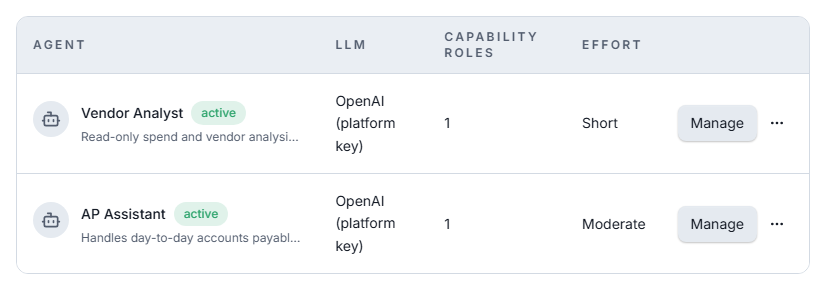
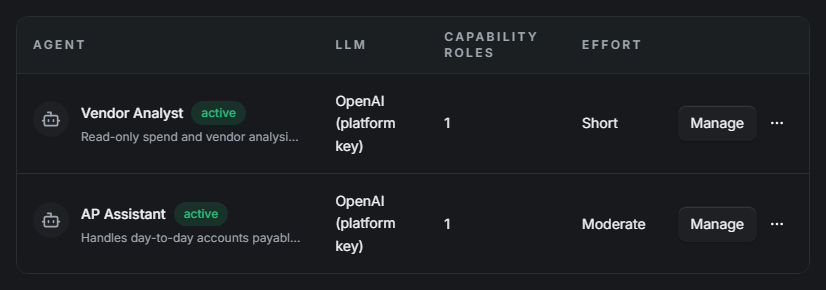
Effective permissions, further down the page, shows what its roles add up to.
Choose where it can act
If your app has organizations of its own, choose under Where it can act which of them this agent may reach: none (the default), all, or a list. It always reaches records that belong to you as the app's owner. Its roles still decide what it may do there. See Where an agent can act.
Decide when it stops for a person
Under Behavior:
- Auto-approve is a set of pauses the agent may skip, not one switch. Risky actions
skips approval for tools rated above
low. Budget checkpoints lets it run past its effort checkpoints up to a safety ceiling. Leave both off and it stops before anything risky, and at each checkpoint. Neither touches policy, authorization or the audit trail. - Effort is a leash, not a thinking-harder dial: Brief, Short, Moderate, Long or Max. It sets how many steps the agent runs before checking back in. A longer leash means fewer interruptions and a bigger bill, and no setting lets it run forever.
See Approvals & halts for how the two combine.
Add sub-agents, if it coordinates
Under Sub-agents, list the agents this one may hand subtasks to. A sub-agent runs under its own roles, reach and approval settings, so handing work to it never widens what gets done. Give sub-agents descriptions that clearly differ, so the coordinator can tell them apart.
Try it
Open Arbiter while you are in the app, and pick the agent in its Agent selector. The conversation shows each step, its arguments and its outcome, including anything it attempted and was refused, which is the fastest way to find a missing policy. A step that halts shows up in the same conversation and in App approvals.
Checking what it can actually do
Do not infer an agent's reach from its description. Ask for its toolbox, with a key bound to it:
curl "$AUTHORIC_URL/$APP_UID/agent/tools" \
  -H "Authorization: Bearer $AGENT_KEY"
That list is derived from the agent's roles at the moment you ask. It is a guide, not the gate: every call is checked again when it runs.
Turning an agent off
Disable on the agent's page stops it everywhere at once: its API keys answer
401 API_KEY_INVALID until you enable it again. Delete removes it.